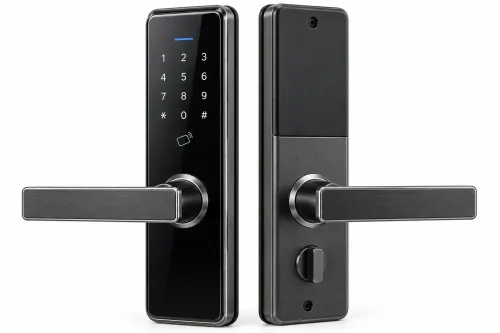
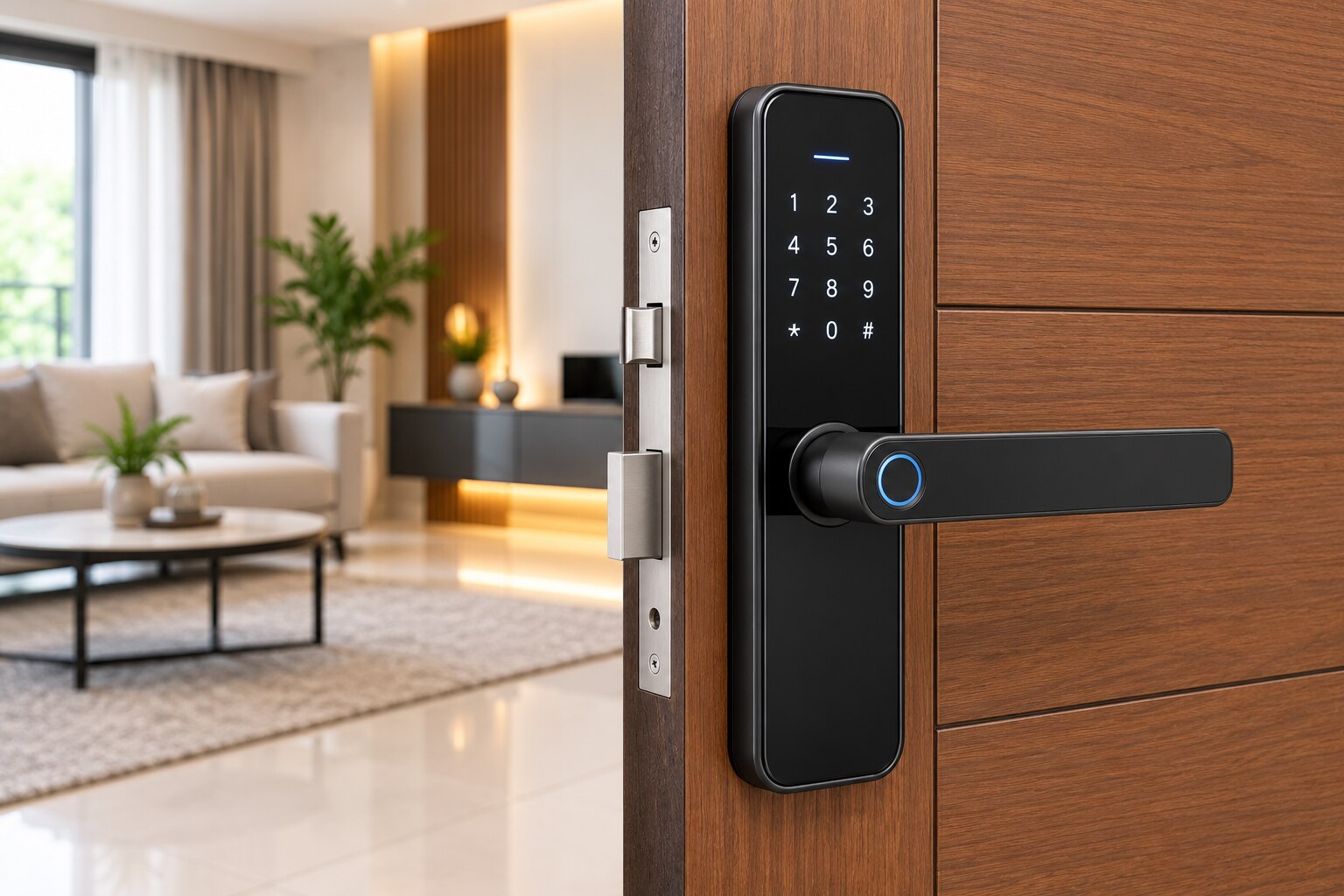
A digital handle can fail to fit even when its advertised features look right: the door thickness, mortise case, spindle position and frame alignment all determine whether installation will work. By the end, you will know what to measure, which access and battery features suit your property, and what to demand from a supplier before ordering.
Key takeaways
- Measure thickness, backset and lock-case dimensions before comparing handles.
- Match the replacement lock case to the door’s existing cut-out and spindle position.
- Choose PIN, fingerprint, card, app or key access around daily users.
- Confirm battery backup, emergency entry and user-management documents before purchase.
Measure the Door Before You Compare Digital Handles
Measure the finished door before comparing a digital lock handle for door in pune. Record thickness across veneer, laminate, paint and applied trim; backset from the edge face to the spindle centre; and the lock case’s height, width and depth. Do not confuse backset with spindle-to-cylinder spacing.
Also measure the edge faceplate, handle spacing, spindle-to-cylinder centres, mounting-hole pattern, door handing, strike-plate position and clearance between lever, frame and wall.
- Confirm the latch enters the strike without rubbing and that the door closes without lifting.
- Correct a misaligned frame before installation if the door needs lifting, the latch drags, or the weather seal compresses heavily. These faults can stall the motor, prevent locking and drain batteries quickly.
- Photograph both door faces, the edge cut-out, lock case and strike. Record whether the handle replaces the complete mortise lock or only the external handle.
| Door type | Measurements and checks | Fit implication |
|---|---|---|
| Wooden flush door | Finished thickness, core, edge faceplate and screw locations | Veneer or laminate can hide a weak fixing area. |
| Solid timber door | Lock-case depth, routing space and mounting holes | Deep routing can weaken a narrow stile. |
| Metal door | Sheet thickness, reinforcement, edge channel and strike | A timber mortise case may not fit. |
| Existing mortise-lock door | Case height, width, depth, backset, cylinder spacing and strike | The supplied case must match; the handle is not universal. |
Match the Lock Case to the Door and Installation Work
A digital handle replaces only the external handle when its spindle, fixing holes and lock case match the existing mortise. Otherwise, replace the complete mortise body; a rim-mounted or cylindrical lock is not automatically interchangeable.
| Door and lock case | Correct approach | What can go wrong |
|---|---|---|
| Existing compatible mortise case | Fit the matching digital handle and escutcheons | Wrong spindle or hole spacing leaves a loose, unusable installation |
| New mortise body | Route the door, enlarge the edge cut-out and relocate the strike | Veneer breakout, laminate damage and visible edge repairs |
| Rim-mounted or cylindrical lock | Specify a matching lock system, not a mortise handle | The latch may not engage, even when the handle looks compatible |
| Frameless glass leaf | Use a glass patch fitting, clamp-mounted lock or narrow-stile system | A timber mortise case can crack or weaken the glass |
For veneer, plywood or composite doors, confirm that screws will hold in the actual core, not only in a decorative layer. Use the supplied cutting template, protect the finish during routing and seal newly exposed edges where appropriate; freehand cutting can crack the face veneer and loosen the fixing.
Before installation, check these points:
- Confirm the door-frame alignment; a rubbing latch, lifting door or compressed weather seal can stall the motor and drain batteries.
- Match the supplied lock body, strike and faceplate to the existing openings.
- Specify egress behaviour separately from security behaviour: fail-secure retains locking after power loss, while fail-safe releases electrically.
- On fire-rated doors, verify the complete tested door, frame, closer, latch or lock, strike and hardware assembly, not merely the handle’s rating.
Choose an electronic door handle in Pune only after these installation conditions are documented.
Choose Access and Connectivity for the Way the Door Is Used
A home usually needs simple daily entry; an office needs controlled users and records; a rental or serviced apartment needs access that changes without collecting keys. Choose the credential system around that workflow, not around the number of features printed on the box.
| Use case | Suitable access mix | Main limitation |
|---|---|---|
| Home | PIN, mechanical key, Bluetooth, optional fingerprint | App dependence adds complexity |
| Office | PIN or RFID with user administration, audit events and defined exit control | Shared access needs enrolment and deletion rules |
| Rental property | Temporary PINs, one-time credentials and remote app access | Remote features need a gateway or Wi-Fi |
| Serviced apartment | Time-limited codes, RFID and administrator-managed mobile access | Cloud or network failure needs a fallback |
An offline electronic handle works without internet, an account or cloud service. It suits a single home or small rental, but check its local user limit and event-log capacity before assigning it to staff or guests.
A connected smart lock can provide remote unlocking and administration through Wi-Fi or a gateway. It also brings network dependence, app accounts, firmware updates, privacy decisions and possible battery drain; Bluetooth alone usually provides nearby phone access, not remote control.
Fingerprint and RFID are useful credential options, not proof that the handle suits your site. A standalone PIN/RFID handle is not an access-control lock: the latter may require a controller, door contact, request-to-exit device, power supply, fire-alarm interface and network commissioning.
Specify security and required exit behaviour separately when comparing an electronic door handle in Pune or premium digital locks in Pune.
Plan Batteries, Emergency Entry and Shared-User Administration
Specify the battery plan before buying a digital lock handle for door in Pune: battery type, expected operating life, low-battery warning, contact quality, external emergency-power method and manual override. Test the mechanical key, concealed contacts, USB input or external battery terminal from outside the locked door. A low-battery alert is not an emergency-opening system.
Treat these as separate failure checks:
- Depleted cells: confirm replacement access and the exact battery reference.
- Poor contacts: inspect spring pressure, corrosion protection and whether the handle works after battery removal and refitting.
- Motor stall: test the lock with the door closed; misalignment can leave a powered motor unable to retract the latch.
- Wireless loss: verify local PIN, RFID or NFC operation during a Wi-Fi, gateway or cloud outage.
- Shared use: record PIN length, lockout rules, RFID or NFC format, biometric enrolment limit, temporary-code and one-time-credential support, administrator roles, user-enrolment limit, event-log capacity and staff or tenant deletion.
- Administration: confirm whether credentials remain usable during an internet outage and whether the model is a standalone handle or needs a controller, door contact, request-to-exit device, power supply and fire-alarm interface.
Finally, specify fail-secure or fail-safe behaviour separately from exit requirements. A fail-secure lock stays locked when power fails; a fail-safe lock releases electrically. Homes, offices and commercial premises still need a defined inside exit route, so test egress with the door locked, powered down and disconnected from the network.
Use the Supplier’s Documentation to Make the Final Choice
A premium digital locks in Pune comparison is incomplete until the supplier proves that the lock can be installed, maintained and repaired on your actual door. Request these documents before choosing:
- Installation drawing, door-thickness and backset limits, handing details, approved door materials and the mounting-hole template
- Battery type, replacement interval, low-battery warning and emergency-opening instructions
- Lock-case and lever durability data, forced-manipulation resistance, cylinder or override quality and battery-compartment protection
- Warranty exclusions, service response, and availability of mortise bodies, escutcheons, spindles, strikes, batteries and other replacement parts
Compare the evidence, not the sales language.
| Feature | Acceptable evidence | Warning sign |
|---|---|---|
| Lock body and lever | Rated construction, tested operation and a documented compatible mortise case | Finish described without durability or forced-entry information |
| Emergency access | Clear external procedure that you can test with a depleted battery | “Low-battery alert” presented as the emergency solution |
| Serviceability | Stocked batteries, replacement mortise bodies, escutcheons, spindles and strikes | No part numbers or repair route |
For Pune monsoon exposure, read the IEC 60529 IP rating alongside corrosion protection and the lock’s actual position under a canopy or in direct rain. IP marking covers enclosure ingress; it does not certify direct-rain use or corrosion resistance.
National Veneer & Ply can coordinate veneer, plywood, panel, door-hardware and installation constraints, but verify the selected model’s specification and service path with the digital lock hardware supplier first.
Related product
 | HardWare Premium Digital Lock & Handels SecureGuard Pro Digital Lock & Handles Set Key Features: Advanced Biometric Access: Unlock your door with the touch of a finger using... View product → |
Frequently asked questions
What should you measure before buying a digital lock handle for a door in Pune?
Record the finished door thickness, including veneer, laminate, paint and applied trim. Measure backset from the edge face to the spindle centre, then note the lock case’s height, width and depth. Do not substitute spindle-to-cylinder spacing for backset.
How do you match a digital handle to an existing lock case?
Compare the replacement lock case with the existing case’s height, width, depth, spindle position, faceplate and fixing-hole locations. If these do not align, allow for carpentry, door repair and possible frame adjustments.
Which access method suits a shared office or rental property?
Use an access method that supports the way people enter. PINs suit code sharing, cards suit controlled users, fingerprints suit regular occupants, and app access suits remote administration. Confirm the maximum user count and deletion process.
What emergency and battery features should you verify?
Ask how the handle signals low battery, how long the batteries are expected to last, and where the external emergency power contact is located. Confirm the mechanical key or other override, and test that it works before installation.
Keywords